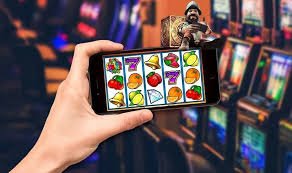
Installation paths for rajabet77
Our rajabet77 app is available in two formats: a downloadable Android APK for phones running Android 7 or later, and web-based access for iOS devices. We do not use app stores (Google Play, Apple App Store) because our services are available only in jurisdictions where local law permits—app-store distribution would expose our listing to geographic restrictions beyond our control. Instead, we provide direct download links and browser access, both equally secure and fast.
Android app: Download and installation
To get the rajabet77 app on Android, visit our main site from your phone, tap the app download link, and save the APK file. Android blocks APK installation by default to protect against malware. To allow installation from unknown sources, go to Settings → Apps & notifications → Advanced → Install unknown apps, find your browser, and toggle "Allow from this source." This permission is standard and does not compromise security—it simply tells Android to trust your deliberate choice to install an app outside Google Play.
Once enabled, tap the APK file in your Downloads folder. The system prompts you to review permissions (network access, storage, camera for ID verification during KYC). Accept these, and the app installs in seconds. Launch it, tap "Login" or "Register," enter your username and password, and you are connected to live markets immediately. On subsequent launches, the app opens in under two seconds because it caches match data, odds, and account balance locally.
iOS: Browser and add-to-home-screen
On iPhone, download Safari or Chrome and visit our rajabet77 site directly. You will see the full desktop version optimised for mobile screens—no app download needed. Login with your username and password, just as on Android. If you want quick access without typing the URL every time, use Safari's "Add to Home Screen" feature: tap the Share button, select "Add to Home Screen," name it (e.g. "rajabet77"), and confirm. An icon appears on your home screen that opens the site in a standalone window, behaving like an installed app.
iOS browser access gives you the same features as the Android app—live football betting on Liga 1 and Premier League, live blackjack and baccarat, slots like Mahjong Ways 2, esports on PUBG Mobile—but without local caching or push notifications. For most users, this is sufficient; your browser automatically keeps you logged in, so opening the app takes one tap. The trade-off is that if you lose network connection, cached games on Android remain playable, while iOS requires reconnection to continue.

Installation steps on rajabet77
- Step 1: Visit rajabet77.id on your phone's browser; tap the Android download link or proceed directly to Safari/Chrome on iOS.
- Step 2: On Android, allow unknown app installation in Settings; on iOS, skip this step.
- Step 3: Download the APK (Android) or visit the site (iOS); accept permissions when prompted.
- Step 4: Open the app, register with email and mobile number, verify your account via KYC (upload ID and address proof), then deposit via DANA, e-wallet, mobile banking, local payment, online payment, e-wallet, mobile banking, local payment, online payment, or e-wallet.
App versus browser: Which is right for you
The Android app and iOS browser access deliver identical games and betting markets. The app's advantage is offline caching—slot spins continue if your network stutters—and push notifications that alert you instantly when a Liga 1 match starts or your withdrawal settles. The browser's advantage is simplicity: no installation, no permission prompts, no storage space used. Most users prefer the app for its speed and notifications; casual players favour the browser. Both are secure; login credentials are encrypted, and both support two-factor verification via SMS.
Device compatibility and minimum requirements
Our rajabet77 app runs on Android 7.0 or later (released in 2016, so nearly all phones qualify). iOS users need iOS 12 or later (iPhone 5S and newer). Both platforms auto-update, so your app stays current with security patches and new game launches. Older devices may run the browser version but struggle with live-dealer video streams; we recommend upgrading if your phone is more than five years old to ensure smooth playback of Piala Indonesia matches and live blackjack tables.
Common installation issues and solutions
If Android blocks the APK, ensure you enabled "Install from unknown sources" for your browser (not globally, just for that app). If iOS Safari shows a blank screen after login, clear your browser cache: Settings → Safari → Clear History and Website Data, then revisit the site. If the app crashes on launch, force-stop it (Settings → Apps → rajabet77 → Force stop), then restart. If you see a certificate warning on iOS, it is a browser security prompt; tap "Details" and select "Visit this website" to proceed—this is normal for apps accessed via browser. Contact our support team via email if these steps do not resolve the issue.
Data, permissions, and account security
The rajabet77 app requests permission to access your network (obvious—required for betting and deposits), device storage (to cache game assets and local settings), camera (for ID photo upload during KYC verification), and phone identifier (to prevent multi-accounting fraud). These permissions are standard and necessary. We do not access your contacts, calendar, or other private data. Your password and payment details are never stored on your phone; they are encrypted and transmitted to our secure servers only. If you lose your phone, your rajabet77 account remains safe: log in from another device, change your password, and enable two-factor authentication via SMS to lock your account.